

Why Universities Choose Concept3D
Concept3D connects campus navigation, recruitment, events, and space reservations. With Interactive Maps, 360° Tours, Localist Events, and Room Reservations, universities can help people find the right place, discover what is happening, and take the next step.
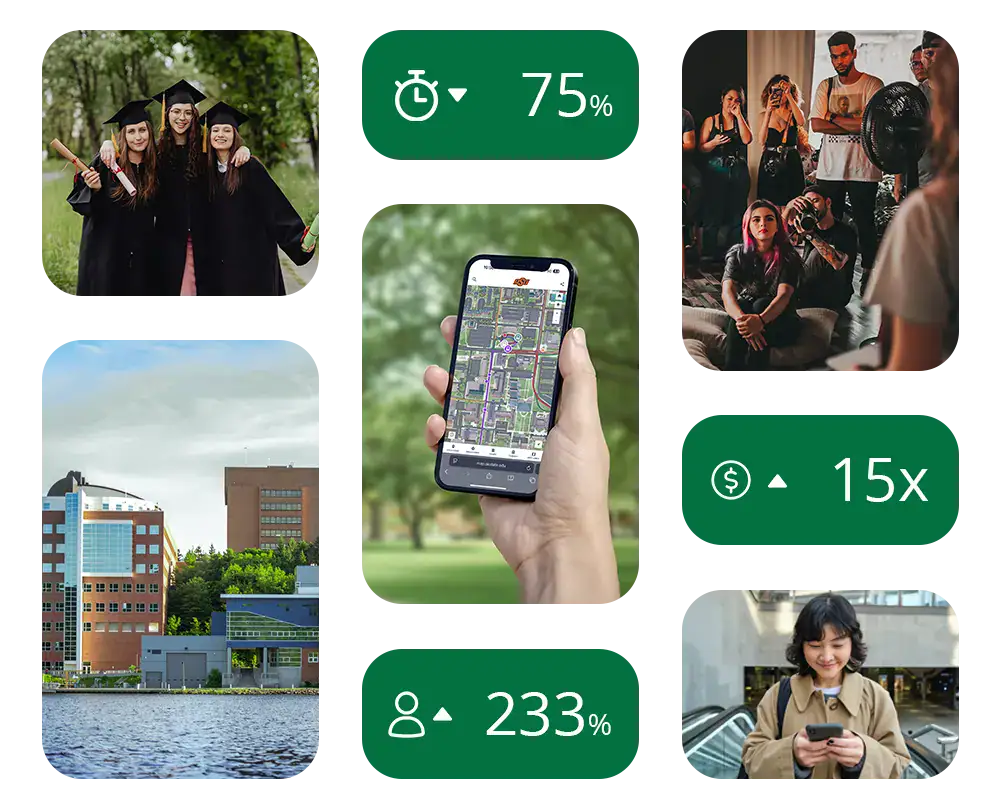
Higher education experience you can see in practice
Choose the products that meet your needs today, with opportunities to connect more of the campus experience over time. From a prospective student’s first virtual visit to a current student’s next campus event, Concept3D supports the everyday moments that make your institution easier to explore and participate in.
See how universities use Concept3D across campus, with specific results and practical examples from their teams:
- Self-guided visits: Providence College recorded 52 form submissions per month and 821 monthly Spotify downloads during its walking tour’s first few months, helping admissions identify visitors outside scheduled tours.
- Admissions follow-up: UC Davis generated several thousand student inquiries in its first 12 months through forms in its virtual tour and self-guided map, feeding inquiries into Slate.
- Tour engagement: Walsh University reported a 36% increase in average monthly tour usage over its previous vendor, across admissions, campus-tour, and residence-life tracks.
- Faster event administration: Missouri S&T reduced event-upload time by approximately 75%, from more than four minutes to about one minute.
- Event attendance: The University of Louisville reported Summer Movie Series attendance growing from about 300 to about 1,000 after adopting Localist Events.
- Digital accessibility: Idaho State University replaced its inaccessible GIS map after an accessibility complaint and threatened lawsuit, with keyboard and screen-reader functionality tested by its disability services team and visually impaired users.
- Campus navigation: Oregon State University brings together turn-by-turn directions, step-free routes, elevator locations, and construction information for students, employees, and visitors.
- Classroom locator: Oklahoma City Community College helps students find their classroom by searching its interactive campus map by room number, with step-by-step instructions for using the map.
- Event operations: Cal State San Bernardino creates event-specific map layers for Homecoming, showing entrances, parking, and attendee details.
- Global program discovery: Cal State San Bernardino extends its map worldwide so students can explore study-abroad destinations and partner universities with images and program details.
These examples reflect individual institutions and the periods described in their stories. Results vary by campus, goals, implementation, and use.
Campus navigation, inside and out
Concept3D Interactive Maps help students, staff, and visitors find buildings, campus resources, and destinations inside buildings.
- Search campus places and interior destinations.
- Explore floor plans and routes between floors.
- Offer configured wheelchair-accessible route options.
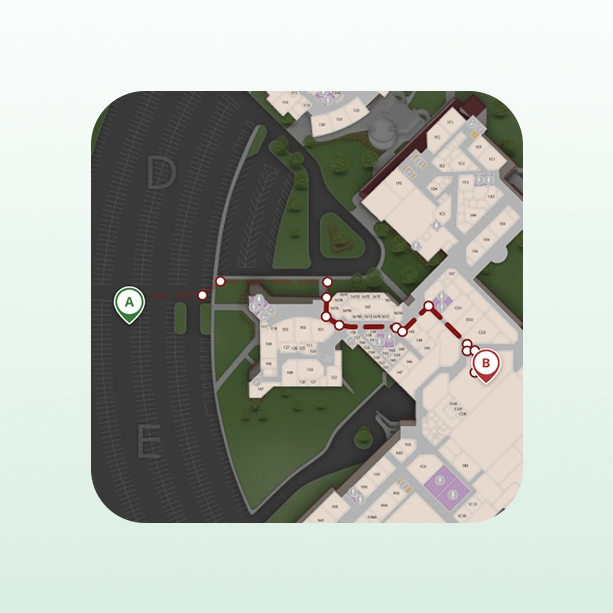
Navigate buildings, floors, and campus resources
Use Interactive Maps to:
- Guide visitors from parking to a building and onward to an interior destination.
- Display floor plans and help people navigate between floors.
- Make campus resources, accessible entrances, parking, and services easier to find.
- Create focused map views for arrival, orientation, commencement, and other major events.
- Present operational information to the teams that need it.
Click Through a Quick Demo of Interactive Maps
Find the right room, on the right floor
With interiors and Wayfinding configured, visitors can find rooms, switch floor plans, and follow routes between floors using mapped stairs or elevators. Accessible routes depend on enabled functionality and a connected, maintained accessible-path network. See how multi-floor Wayfinding is configured.
The University of San Diego uses interior maps, a floor selector, and wayfinding to help visitors navigate campus buildings. Oklahoma City Community College also provides a Classroom locator guide that shows students how to search its interactive campus map by room number and locate their classroom. California State University, San Bernardino uses map information for purposes ranging from event arrival to internal infrastructure inventories, including emergency poles and Wi-Fi access points.
Keep your campus data useful across departments
At Oregon State University, Concept3D connects with ArcGIS data to bring campus information into a public-facing navigation experience. The project brought together IT, facilities, public safety, disability services, and marketing. Accessible parking, routes, restrooms, and other resources became easier to present alongside a recognizable, university-branded map.
For institutions with an established GIS program, this provides a practical way to make maintained campus data useful to a wider audience without replacing the underlying GIS system.
Oregon State’s own launch announcement describes turn-by-turn directions, wheelchair-friendly and step-free routes, elevator locations, and event and construction information. Read Oregon State’s launch announcement.
360° Tours with a next step
Help prospective students explore campus remotely and connect with admissions. Build tours around your places and programs, with media, inquiry forms, and calls to action.
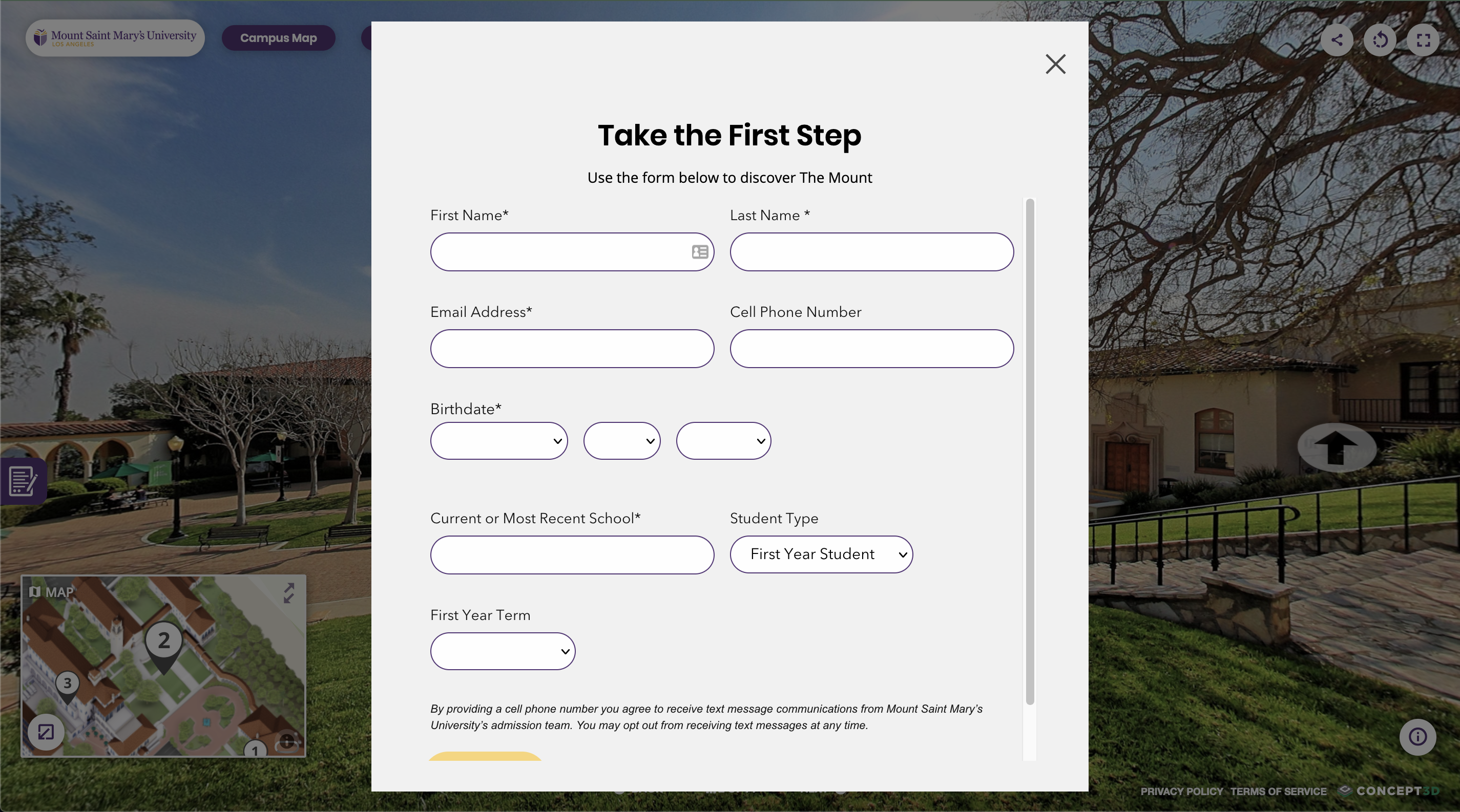
Turn virtual exploration into admissions conversations
Tours can support students before a visit, families unable to travel, and admitted students deciding where they belong. Your team can maintain tour content through the content management system, keeping the experience relevant as campus changes. Available capabilities include inquiry forms and embedded tour experiences, with the right configuration for your goals.
UC Davis embedded inquiry forms into its virtual tour and self-guided map tour. During the first 12 months, those forms generated several thousand student inquiries. The information flowed into Slate so admissions could segment inquiries and follow up with relevant communications.
At Walsh University, the monthly average total of tours across admissions, tour, and residence life tracks increased 36% compared with the previous vendor. Staff also gained greater flexibility to update content and prepare map information for moments such as welcome week.
Campus events, easier to discover
Localist Events gives universities a branded calendar for campus-wide event discovery and promotion.
- Help students browse relevant categories and filters.
- Let departments contribute through review workflows.
- Support registration and ticketing where configured.
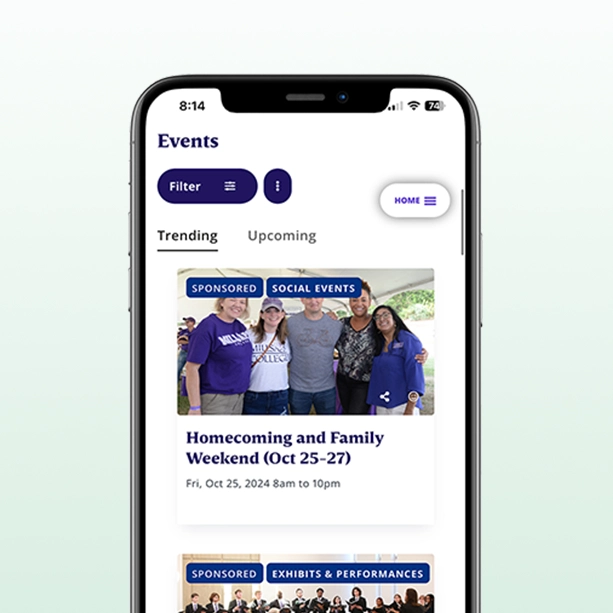
Make the event work easier and the events more visible
Students and visitors can find relevant events through categories and filters. Your team can organize contributions with permissions and approval workflows, distribute event information through feeds and widgets, and support registration or ticketing where configured. A centralized calendar helps reduce the repeated work of maintaining disconnected listings.
Missouri University of Science and Technology reported a 75% reduction in event-upload time, from more than four minutes to just over one minute. Its published case study also describes an increase from 192 events listed in the previous semester to 856 in the launch semester.
The University of Louisville consolidated work that previously involved six calendars. Its case study reports Summer Movie Series attendance growing from about 300 to about 1,000, alongside a broader expansion in the events promoted through its calendar.
These examples show different kinds of value: less administrative work, more complete event information, and stronger participation. Your own measures should reflect the outcomes your campus is working toward.
Click Through a Quick Demo of Localist Events
Find the right space for your event
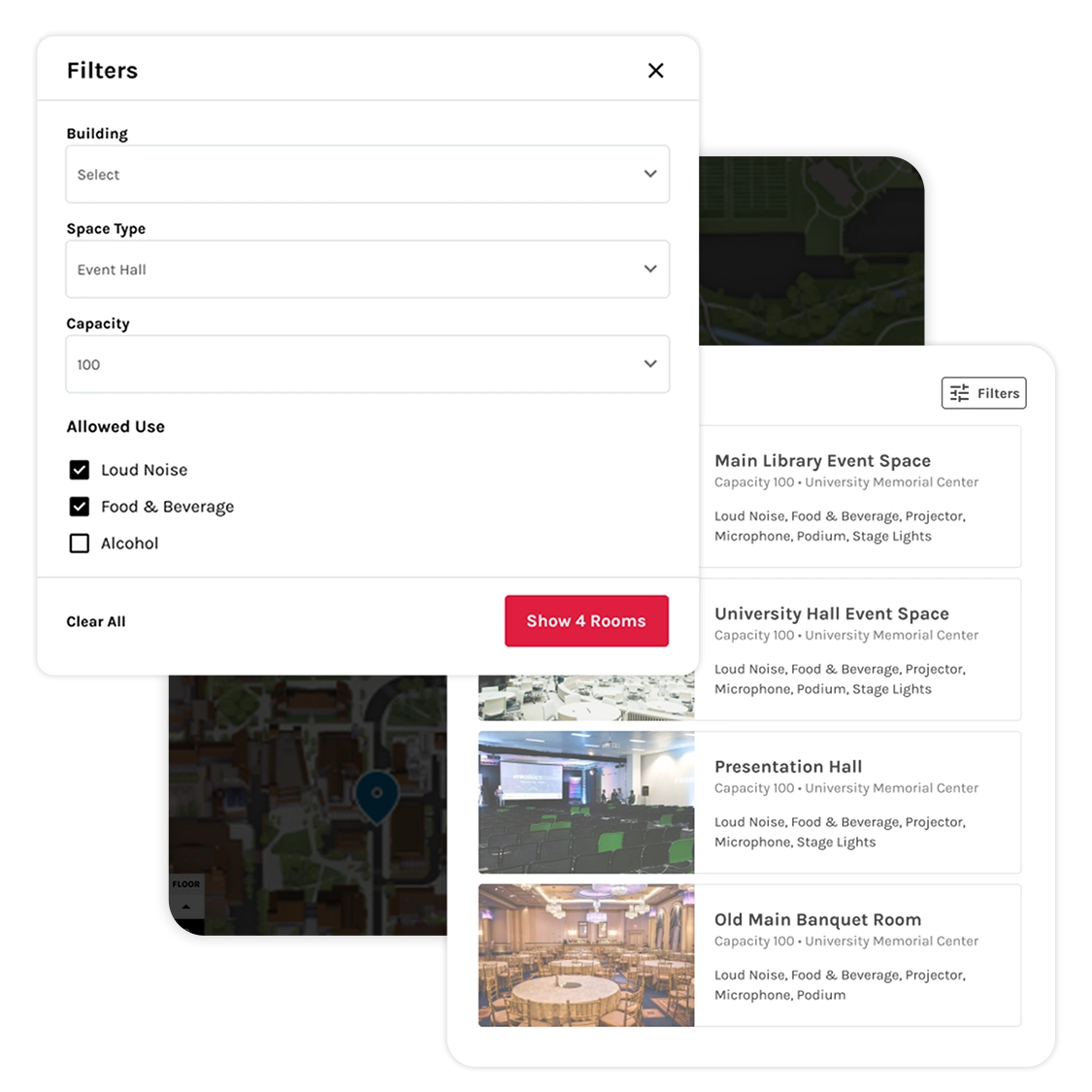
Concept3D Room Reservations helps people find suitable campus spaces and submit requests, while giving teams a clear process for review.
- Search by availability, location, capacity, and amenities.
- Collect the details coordinators need.
- Connect reservations with Localist Events when configured.
Click Through a Short Room Reservation Demo
Connect the reservation workflow to the event
For institutions using Localist Events, the configured integration connects reservations with event information. Reservation dates, times, and status are managed in Room Reservations; event content such as titles, descriptions, and classifications is managed in Localist Events. That division keeps responsibility clear as the two products work together.
Start with the workflow your campus actually uses: who can request a space, who reviews it, what information is required, and how an approved event is promoted. The right setup should make those responsibilities easier to follow.
One partner for more of the campus experience
Concept3D’s four products address distinct needs. You can begin with a campus map, a virtual tour, an events calendar, or space reservations, then evaluate the connections that would make your teams’ work easier.
Give people a familiar experience as they move from discovering an event to exploring its location or getting to know campus. Interactive Maps, 360° Tours, and Localist Events can reflect your institution’s identity and connect through relevant places, content, and links. Your teams can shape each experience for its audience while working toward a more cohesive whole.
Gardner-Webb University began with Interactive Maps and Localist Events in 2023, then added a 360° Tour the following year. Its connected experiences let people move between the map, tour, and calendar through configured links, while the university works with a single point of contact for all three products. The approach gives teams room to grow at their own pace rather than adopt every product at once.
A connected approach does not require every department to do the same job. Admissions can focus on inquiries, marketing on accurate content, event teams on discovery and participation, and facilities on places and space requests. Establishing clear ownership makes those connections useful.
One university brand across more experiences
Your campus map, virtual tour, and events calendar should feel like extensions of your university. Consistent messaging, typography, colors, and logos help people recognize your institution as they move between those experiences.
Michigan Tech’s team highlights brand consistency as a benefit of using Interactive Maps and Localist Events with one vendor. Its customized calendar front end, map icons, and audience-specific map tours show how connected products can still feel distinctly like the university.
From event discovery to getting there
Connect the event with its location. Localist Events can display Concept3D maps on event and place pages, while selected Localist events can appear on your Interactive Map. University of Portland uses Localist to promote its AI and Catholic higher education conference, showcase speakers, and sell tickets, then uses Interactive Maps to guide attendees to campus locations.
Accessibility belongs in the campus experience
Concept3D’s accessibility work includes staff training, product testing, and collaboration with UsableNet. Its published commitment is grounded in WCAG 2.1 AA, with ongoing product improvements rather than a one-time accessibility exercise.
For campus navigation, wheelchair-accessible route options and information about entrances and facilities help people plan their physical journey. Digital accessibility addresses how people use the map, tour, calendar, or reservation interface itself. Both deserve attention when evaluating a campus experience.
An accessibility complaint and threatened lawsuit prompted Idaho State University to replace its inaccessible GIS-based campus map with Concept3D. Its disability services team and visually impaired users helped test the new map’s keyboard and screen-reader functionality. Read Idaho State’s story.
For public universities preparing for ADA Title II digital accessibility requirements, Idaho State’s experience shows why campus maps belong in the accessibility plan.
Bring your accessibility team into the conversation. Review the current documentation for the specific product and test the journeys that matter to your institution, including keyboard and screen-reader use and the content your team will maintain.
Independently audited security
Concept3D has completed a SOC 2 Type II audit with an unqualified opinion. Our Trust Center provides a place to request the report and HECVAT documentation, helping your team evaluate our security practices during procurement.
Keep control of your content, with support beyond launch
Campus information changes throughout the year. Concept3D’s content management tools let authorized staff maintain map and tour content, while Localist Events supports distributed contributions and review workflows. That helps teams keep the experience current without routing every content change through a developer.
Implementation is also an organizational project. Concept3D provides product documentation and Partner Success support, with onboarding shaped around the selected solution. Localist’s documented onboarding process, for example, includes training, calendar structure, content migration planning, and launch preparation.
Beyond onboarding and training, Partner Success helps you review how people use your experiences, identify useful improvements, and plan what comes next.
- Use engagement and search behavior to improve content and discovery.
- Help departments contribute information with appropriate ownership and access.
- Turn product updates into practical options for your campus.
- Plan improvements as your campus and priorities evolve.
Use implementation to agree on who owns content, how changes are reviewed, which systems supply information, and what success will look like after launch. Ask your Concept3D team to demonstrate the maintenance tasks your staff will perform most often.
Is there an ROI from Concept3D?
Yes, there can be a measurable return. How you calculate it depends on what your institution wants to improve. Recruitment opportunities, staff capacity, paid events, and space use have different measures of value. Start with the outcome, then choose a calculation that reflects it.
Michigan Tech: estimated 15× first-year ROI
Concept3D’s historical case-study estimate used average tuition for 21 prospective students whose first touch and form submission came through Michigan Tech’s Interactive Map and who indicated plans to attend. That potential tuition value was compared with the first-year map investment. The 15× figure represents modeled value, rather than realized net revenue or proof that the map caused additional enrollments.
In a separate reporting period, July 2023 to July 2024, Michigan Tech’s Interactive Map recorded 46 form submissions, 370 calls-to-action clicks, 7,000 tour plays, and 60,000 unique users. Those are recruitment and engagement indicators that can inform admissions follow-up and performance evaluation. Read the Michigan Tech case study.
Build a business case around your campus priorities
- Recruitment: Follow map and tour inquiries through applications and enrollment. Use your institution’s net tuition contribution and costs when estimating financial return.
- Staff capacity: Measure time spent uploading events, maintaining content, or handling reservation requests before and after implementation. Report capacity gained separately from cash savings.
- Event revenue: Compare ticket proceeds after applicable platform fees, payment-processing fees, and event-delivery costs, alongside any tools or administrative work replaced.
- Space use: Evaluate completed bookings, paid reservations where relevant, and the work required to process requests using the records available to your institution.
- Student engagement: Track discovery, registrations, and attendance. These can support a student-connection strategy, but attendance alone does not establish an increase in retention.
Use consistent reporting periods, include implementation and internal costs, and avoid counting the same benefit twice. That produces a business case your leadership can evaluate and your team can improve over time.
Questions universities ask when comparing Concept3D
Is Concept3D mainly for admissions?
No. Admissions and recruitment are important uses, alongside everyday navigation, accessibility information, event discovery, campus communications, and space reservations. Oregon State and CSU San Bernardino illustrate how Interactive Maps also support cross-campus and operational needs.
Can Concept3D support indoor and outdoor wayfinding?
Yes. Interactive Maps can combine exterior navigation with interior floor plans and routes to destinations inside buildings. Review your buildings, floor plans, routing data, and accessible-path requirements with the team to define the implementation.
Does Concept3D work with systems we already use?
Available connections depend on the product and configuration. Examples include ArcGIS data used by Oregon State, Slate inquiry workflows at UC Davis, and the configured connection between Room Reservations and Localist Events. Bring your systems list so the team can confirm the supported workflow and which system owns each type of information.
Do we need to buy all four products?
No. Start with the product or combination that addresses your priorities. A demo should show the selected capabilities, relevant integrations, and how your staff will maintain them, rather than assuming every feature is included in every package.
What should we ask to see in a demo?
Bring real campus scenarios: directions from visitor parking to an upstairs room, a student submitting an inquiry from a tour, a department submitting an event for review, or a staff member requesting a space. Include the people responsible for content, accessibility, and technical review so you can evaluate the full workflow.
How can we measure usage and engagement across Concept3D products?
Each product offers reporting that helps your team understand how people discover campus, explore content, participate in events, or book spaces.
- Interactive Maps: Connect your GA4 account to track map visits, searches, location views, and directions requests. Review map analytics.
- 360° Tours: Use GA4 to measure tour and stop views, engagement time, hotspot interactions, video engagement, and embedded-form interactions. Review tour analytics.
- Localist Events: Built-in reports show event page views, interest, and social activity. Localist Register adds ticket, revenue, and attendee reporting; connect GA4 for additional discovery and engagement insights. Review event metrics and registration reports.
- Room Reservations: Built-in reports show booking volume, reserved hours, peak booking times, reservation statuses, and space utilization based on reserved versus available hours. Review space and reservation analytics.
Available data depends on the features, permissions, consent, and analytics configuration in use. Form interactions do not by themselves confirm submitted inquiries, and booking-based utilization does not measure physical occupancy. Use these signals alongside your institution’s CRM and other outcome data.
See what a more connected campus could look like
Tell us where your campus experience needs to work better. We will help you explore the Concept3D products, customer examples, and implementation options relevant to your goals.