

Key Takeaways:
- Room scheduling software eliminates double-bookings and manual conflicts, freeing administrative staff for higher-value tasks.
- Automated systems can improve campus space utilization by 20–30% through real-time availability, auto-release of no-show rooms, and data-driven planning.
- Integration with systems like Ellucian Banner, Canvas, and Workday Student creates a unified campus experience that improves both scheduling accuracy and resource allocation.
- Mobile-first, self-service booking empowers students, faculty, and administrators to manage reservations independently — anytime, from any device.
Space management and utilization are critical in colleges for various tasks, including course scheduling, event scheduling, group collaborations, and managing study groups. Various meeting spaces on campus, like conference rooms and libraries, allow students, faculty members, and other stakeholders to study, collaborate, and hold meetings. With the right approach to room scheduling software for colleges, many of these spaces can be flexible enough to accommodate academic and non-academic usage.
Ideally, meeting spaces should accommodate a variety of audiences. But when administrators are tasked with manually logging room reservations and overseeing usage, a range of facility scheduling issues can arise. Busy faculty members or administrators can forget to enter appointments or might double-book rooms. Such errors can lead to frustration and conflicts that must be resolved on a case-by-case basis. A manual booking system also limits access to information about scheduling options and room availability. Faculty members are usually tasked with sharing these details verbally, requiring more time to schedule each booking.
Many higher education institutions turn to room scheduling software to eliminate these challenges. Room scheduling software for colleges can streamline the entire process, decreasing complexities and making meeting spaces more available to those who need them.
What Is Room Scheduling Software?
Room scheduling software for colleges is a digital platform that automates the process of reserving, managing, and optimizing campus spaces — including classrooms, conference rooms, study areas, and event venues. Rather than relying on spreadsheets, phone calls, or paper sign-up sheets, the software provides a centralized, real-time system that any authorized user can access from a computer or mobile device.
Room scheduling software supplies a simple digital solution for reserving rooms. It automates the entire booking process, eliminating the need for manual paperwork and reducing administrative workload. Depending on the platform’s functionality, the system can allow planners and guests to book available rooms using computers or mobile devices. With the right software, students can receive instant confirmations, reminders, and notifications about bookings, cancellations, or changes.
Why Colleges Benefit From Room Scheduling Software
Properly using both time and space is vital for both faculty and students in higher education facilities. Room scheduling software for colleges can improve accessibility to meeting rooms across all demographics and enhance resource utilization without burdening staff members with manual booking. These benefits extend across a wide range of campus stakeholders — from Registrars managing course room assignments, to IT Administrators overseeing platform integrations, to Student Government leaders coordinating club events and community meetings. These are just a few benefits college campuses recognize with room scheduling software.
Eliminate Scheduling Conflicts and Double Bookings
Manual scheduling processes are prone to errors. Automated scheduling systems enable guests to access room availability and booking options, providing a clear picture of available spaces and use options. The software can instantly identify and flag conflicting bookings to eliminate frustration and the need for manual conflict resolution.
Optimize Space Utilization
Real-time data and automated scheduling allow colleges to make the most of available workspaces, event spaces, classrooms, and study spaces. Users can easily configure and customize the software to accommodate specific room scheduling policies, rules, and user requirements. Any changes that arise are implemented in real time, and if someone doesn’t check in, then the room can be released and used by someone else. Universities that implement automated room scheduling software typically report a 20–30% increase in space utilization, as rooms that would otherwise sit idle are automatically released back into the pool for others to book.
Save Time and Reduce Administrative Burdens
Relying on manual processes to book spaces takes considerable time, and scheduling conflicts can prolong the process even further. Room scheduling software is designed to provide a seamless booking experience, freeing up staff time and eliminating user frustrations. Changes and cancellations are updated in real time, ensuring optimal space usage.
Enhance Student and Faculty Experience
Student and staff schedules are fluid and unpredictable, requiring flexible solutions for reserving spaces. Digital scheduling platforms offer this flexibility by allowing users to access the system on their phones and view room accessibility to book spaces that meet their needs. Automation adds convenience by providing instant confirmations and notifications about changes. The software reduces communication issues and keeps everyone informed about booking status.
Key Features to Look for in Room Scheduling Software for Colleges
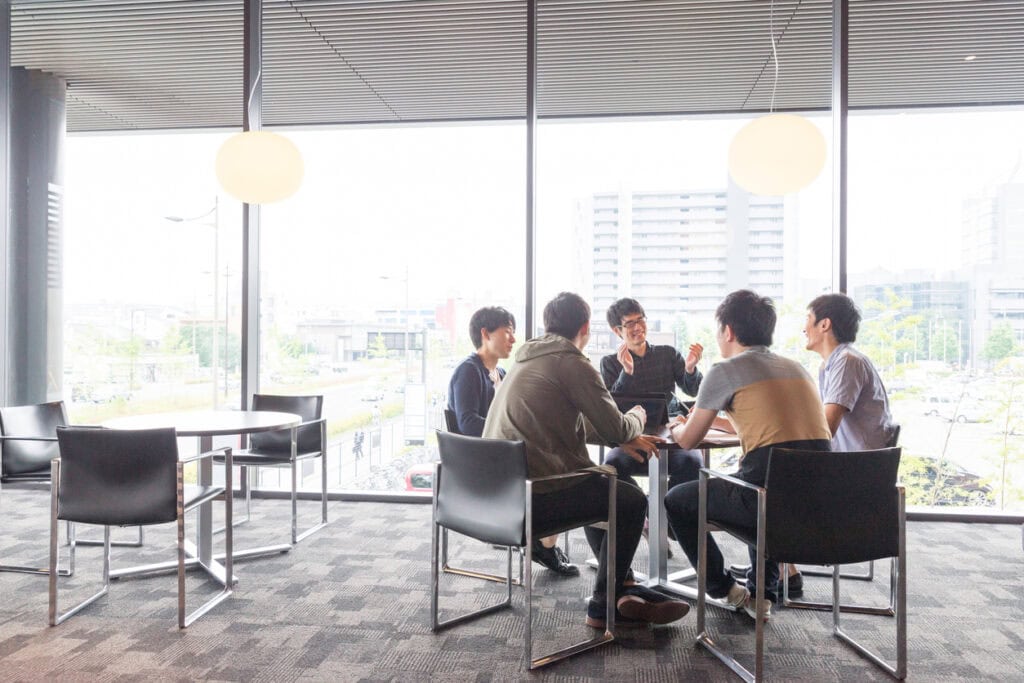
Colleges and universities have unique challenges in booking available spaces for various uses. Examining key room scheduling considerations and the features most likely to align with your facility’s needs, along with pricing, will help you find a room software scheduling solution that eliminates challenges and enables you to make the most of campus resources.
Centralized Room Booking System
A centralized platform allows administrators, faculty, and students to view and manage real-time room reservations. A centralized booking calendar allows users to quickly identify free slots and make bookings without the risk of conflicts. When presented in a user-friendly interface, the system becomes intuitive, encouraging increased adoption.
Self-Service Booking for Faculty and Students
Self-service portals empower faculty and students to reserve available rooms based on their needs. The interface should provide real-time visibility that allows users to see which rooms are available at which times.
The platform should allow users to :
- View available rooms and their amenities
- Book a room for a specific time slot
- Extend or shorten bookings when time is available
- Cancel reservations when plans change
- Choose from various types of reservations (e.g., single or recurring bookings)
- Opt-in for notifications regarding reservations
These capabilities allow users to take control of their reservations, reducing reliance on administrative staff for scheduling.
Automated Scheduling and Conflict Resolution
Automation—guided by your facility’s predefined rules and priorities—eliminates booking errors and conflicts. When you can configure the system to optimize room assignments based on predefined categories like group size and available technology, resources don’t go underutilized. Automation can also help eliminate double booking and resolve conflicts based on specific rules. For example, when a scheduled guest hasn’t checked in within 15 minutes of the scheduled reservation time, the room can automatically become available to someone else.
Interactive Campus Maps and Wayfinding
Interactive campus maps provide turn-by-turn directions to any location, indoors or out. When these systems are integrated with room scheduling software, users can navigate campus effectively. They can easily locate available rooms to ensure the best scheduling experience. The ability to access interactive maps during booking can help users accurately choose the best location and highlight accessible routes and entrances to available spaces. Integration with campus maps helps users with disabilities easily find the most accessible spaces and diminishes the likelihood of conflicts due to late arrival.
Integration with Student Information Systems (SIS) and Learning Management Systems (LMS)
Room scheduling software for colleges shouldn’t be isolated from other campus technologies. Seamless integration with existing technologies like SIS and LMS allows facilities to track attendance to project long-term room demand for specialized courses to improve the accurate use of resources.
Look for platforms that connect natively with widely-used higher education systems, including:
- Student Information Systems: Ellucian Banner, Oracle PeopleSoft Campus Solutions, Workday Student
- Learning Management Systems: Canvas (Instructure), Blackboard, Moodle, D2L Brightspace
Integration with other technological resources like campus calendars and maps helps ensure precise scheduling and resource allocation. By connecting room bookings directly to course rosters in Ellucian Banner or syncing class schedules from Canvas, institutions eliminate redundant data entry and reduce the risk of scheduling conflicts at the course level.
Mobile Accessibility and Notifications
Mobile-friendly platforms are a must on college campuses. Students and faculty can access available resources promptly when booking rooms from a phone or tablet. Mobile platforms also give users real-time notifications about upcoming reservations, cancellations, or last-minute changes.
Equipment and Resource Management
Successful room scheduling is about more than making space available. Developing accessible room scheduling requires software that ensures the right rooms are available for the right audience. When software allows administrators to include room types, available resources, group sizes, and accessibility needs, users can more effectively find a space that meets their needs. For example, the ability to reserve necessary equipment (e.g., projectors, whiteboards, A/V tools) and access digital maps from the platform for improved accessibility can help ensure all users’ needs are met.
Advanced Room Utilization Analytics and Reporting
Any new resource or program in higher education facilities should be considered a work in progress. Refining the program as trends in behavior are recognized can help you optimize resource allocation and identify new opportunities. Room scheduling software for colleges should provide analytics and insights into room utilization trends, peak usage periods, and user preferences. The data can help optimize room use, improve resource planning, and help enhance the user experience.
Customizable Access Control and Permissions
Room scheduling software for colleges requires flexible access and workflow controls that allow administrators to define who can book, modify, or approve room reservations. Permissions based on user roles and policies help improve security and compliance with accessibility regulations. Room scheduling software that allows varied permissions for internal and external users gives students independence while enabling administrators to maintain the control required to allocate resources efficiently.
Enhance Your University’s Digital Accessibility With Concept3D
Customizable room scheduling software can help higher education institutions allocate spaces and resources efficiently. A quality platform automates the entire process, eliminating administrative burdens and enhancing user accessibility. At its most effective, room scheduling software for colleges is a part of an integrated digital system that improves the campus experience and maximizes available resources to set students up for success. When you enhance your room scheduling system with accessibility to wayfinding features like digital maps and interactive tours, students can easily see which spaces best align with their needs.
Concept3D helps colleges define their location and improves the student and faculty experience with a variety of integrative digital tools and features. Our interactive maps, virtual tours, and calendar software integrate with room scheduling software to simplify booking processes and help schools improve resource accessibility. You can customize each component to create a system that aligns with your institution’s needs. Ready to use smarter class scheduling and academic scheduling tools to power student success, too? Request a demo to learn how to prioritize accessibility in all your own space management efforts.
Frequently Asked Questions
Q: What is room scheduling software for colleges? Room scheduling software for colleges is a digital platform that automates the booking and management of campus spaces — including classrooms, conference rooms, study rooms, and event venues. It replaces manual processes with a centralized, real-time system accessible from any device.
Q: How does room scheduling software prevent double-bookings? Automated scheduling systems maintain a real-time shared calendar that instantly flags conflicts the moment a booking is attempted. No two users can hold the same room at the same time, and the system enforces predefined rules around reservations, approval workflows, and access permissions.
Q: Can students book rooms via mobile? Yes. Modern room scheduling platforms are mobile-friendly, allowing students and faculty to search for available spaces, view room amenities, and complete bookings directly from a smartphone or tablet. Automated notifications keep users informed about confirmations, cancellations, and last-minute changes.
Q: How do you prevent double-bookings in college libraries and study spaces? The most effective approach combines real-time inventory visibility, automated conflict detection, and check-in enforcement. If a user fails to check in within a set window (commonly 10–15 minutes), the room is automatically released — ensuring no space sits unused due to a no-show.
Q: How much can room scheduling software improve space utilization? Universities that implement automated room scheduling software typically see a 20–30% improvement in space utilization. This is driven by real-time availability updates, automatic room release for no-shows, and analytics that reveal underused spaces for reallocation.